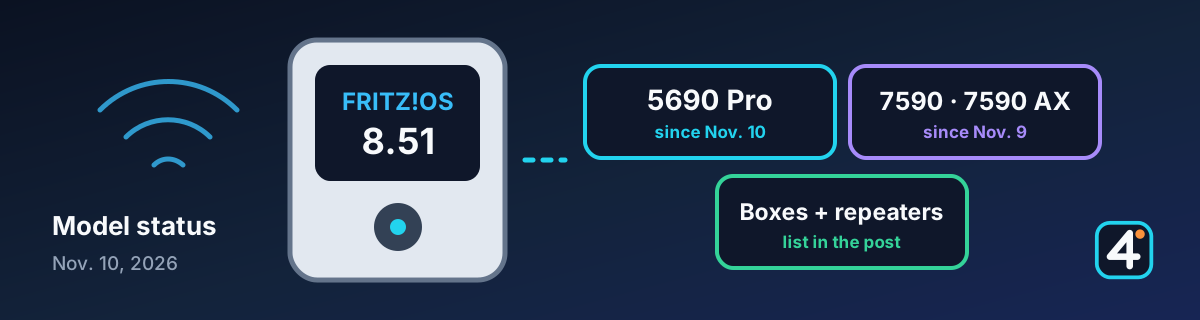
More boxes, same features as 8.50
FRITZ!OS 8.51 is the follow-up to FRITZ!OS 8.50. Since November 10, 2026, AVM also offers it for the FRITZ!Box 5690 Pro, and since November 9 for the FRITZ!Box 7590 and the 7590 AX. The new features are essentially the ones from 8.50: DNS filter, automatic prioritization, and Smart Check. Not every box gets every feature. For IRL streamers, the update matters mostly for the home network behind your stream, such as a relay server, an OBS PC, or your home upload. It changes nothing for your cellular connection on the road.
1. Which boxes have 8.51?
The table summarizes the info files that AVM publishes for each model on its own download server: version, release date, and new features. We don't count lab preview versions. “Not listed” only means that the feature doesn't appear in the manufacturer's notes for that version. “Not supported” appears where the notes explicitly say that the feature is not supported.
| Model | FRITZ!OS | Release | DNS filter | Automatic prioritization |
|---|---|---|---|---|
| FRITZ!Box 5690 Pro | 8.51 | Nov. 10, 2026 | yes | yes |
| FRITZ!Box 7590 | 8.51 | Nov. 9, 2026 | yes | yes |
| FRITZ!Box 7590 AX | 8.51 | Nov. 9, 2026 | yes | yes |
| FRITZ!Repeater 1200 AX | 8.51 | Nov. 9, 2026 | not supported | not listed |
| FRITZ!Repeater 1610 Outdoor | 8.51 | Nov. 9, 2026 | not supported | not listed |
| FRITZ!Repeater 3000 AX | 8.51 | Nov. 6, 2026 | not supported | not listed |
| FRITZ!Box 7630 and 7630 B | 8.51 | Nov. 5, 2026 | yes | yes |
| FRITZ!Box 4690 and 4630 | 8.51 | Nov. 5, 2026 | yes | yes |
| FRITZ!Box 4050 | 8.51 | Nov. 5, 2026 | not listed | yes |
| FRITZ!Box DSL/Fiber 7-90 | 8.51 | Nov. 5, 2026 | yes | yes |
| FRITZ!Box 6690 Cable and 6670 Cable | 8.51 | Nov. 5, 2026 | yes | not listed |
| FRITZ!Box 7632 | 8.51 | Nov. 4, 2026 | yes | yes |
| FRITZ!Repeater 6000 | 8.51 | Nov. 4, 2026 | not supported | not listed |
| FRITZ!Box 5690 XGS | 8.51 | Nov. 3, 2026 | yes | yes |
| FRITZ!Box 7690 | 8.50 | Sept. 29, 2026 | yes | yes |
| FRITZ!Box 5630 | 8.50 | Oct. 8, 2026 | yes | yes |
| FRITZ!Box 5690 | 8.50 | Oct. 15, 2026 | yes | yes |
| FRITZ!Box 7530 AX | 8.50 | Oct. 22, 2026 | yes | yes |
These models don't have 8.50 or 8.51 yet. For each of them, the newest version on the AVM server is: FRITZ!Box 7530, 7682, 5530 Fiber, 5590 Fiber, 6660 Cable, the 6850 in the 4G, 5G (also v2), and LTE variants, and the 6860 5G (also v2) (all 8.25); FRITZ!Box 6690 Pro (8.26); FRITZ!Repeater 1200, 2400, and 3000 (8.25); and the 1700 and 2700 (8.26). Your box shows whether and when it gets the update under System → Update. We'll update the table as soon as anything changes.
2. New features that matter for streaming
The following changes are already in the manufacturer's notes for 8.50. They are new for boxes that were previously on 8.25, such as the 5690 Pro.
Automatic prioritization. According to the manufacturer, the box recognizes video calls and similar real-time communication and gives that traffic priority. The prioritization settings now also apply in the direction of the home network. Whether a livestream upload over SRT, SRTLA, or RTMP counts as a real-time application is not stated in the notes, so a hands-on test will have to show it. Until then, manually prioritizing your streaming device remains the safe choice.
DNS filter. DNS requests from the home and guest networks can be filtered using the filter lists you specify. An overly strict filter can also block services you need for streaming, though, such as platform, chat, or alert services. After you turn it on, check Twitch, YouTube, Kick, your chat tools, and alerts.
Smart Check. On the home screen, the MyFRITZ!App shows the state of your box, with tips and recommendations on F!OS, smart home, telephony, USB, home network, internet, Wi-Fi, LAN, and security.
Remote access and VPN. Two bugs are fixed: internet blocks from parental controls no longer worked over a VPN connection, and remote access to the box could only be set up while the box was connected to the internet. For manually set up WireGuard connections, you can now also create connections for user dial-in, and the MTU can be set for all WireGuard connections. That can be interesting if you access your home network or a server behind it while you're on the road.
3. Other changes in 8.51
- Smart home: The overload shutoff supports the FRITZ!Smart Energy 200 and 210 plugs, and routines can have multiple triggers, such as zones set on your smartphone.
- FRITZ!Fon: The new “Simple mode” announces dialed digits and offers an SOS call with up to four emergency contacts, who are called one after another.
- A new setup assistant makes it easier to switch from DSL to fiber with the same provider.
- FRITZ!Repeater: Repeaters don't offer the box's DNS filter. For the repeaters 3000 AX, 1200 AX, 1610 Outdoor, and 6000, the notes state explicitly that they don't support the feature (a tab for DNS rebind protection had been wrongly renamed “DNS filter”).
4. Before you update
Don't update right before a stream: the box restarts and your connection drops for a short time. If you have automatic updates turned on, keep in mind that the box can install the update on its own.
- Back up your settings (System → Backup), especially port forwards, VPN, DynDNS, and prioritization.
- Afterward, check port forwards for your relay or SRT, VPN, and DynDNS.
- Check the upload prioritization for your streaming device.
- Turn new filters on step by step and run a private test stream.
5. Sources and further reading
This article is our own summary of the manufacturer's notes. FRITZ!'s own information remains authoritative.
IRL4YOU's take
If you run a server, OBS PC, or relay at home behind a FRITZ!Box, check in a private test, once the update is available for your model, whether the DNS filter and prioritization improve or disrupt your stream. This is not a completed IRL4YOU hands-on test.