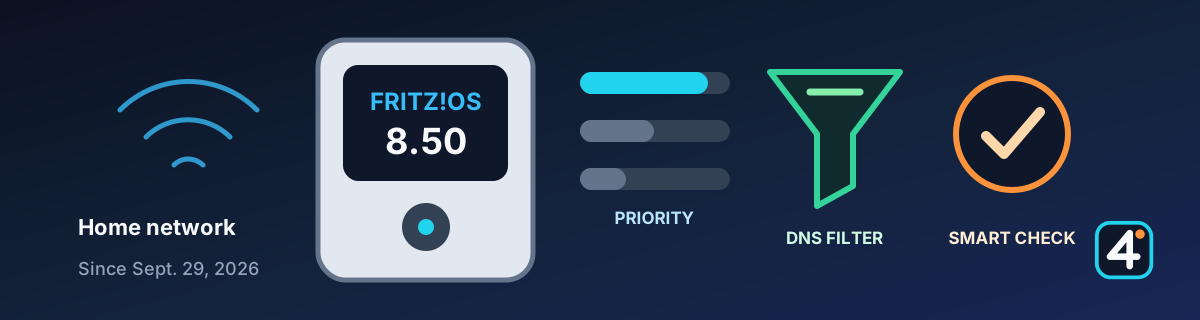
A big feature update, but not a streaming update
FRITZ!OS 8.50 has been available since September 29, 2026, starting with the FRITZ!Box 7690. According to the manufacturer, more current FRITZ!Box and FRITZ!Repeater models will follow over the coming weeks. For IRL streamers, the update matters mostly for the home network: a relay server, an OBS PC, or your home upload behind the FRITZ!Box. It changes nothing for your cellular connection on the road.
1. Which boxes have 8.50?
So far only the FRITZ!Box 7690 is confirmed. For every other model there is currently no confirmed final release. We will update this table as more boxes get the update.
| Model | Status |
|---|---|
| FRITZ!Box 7690 | 8.50 rolling out (since Sept. 29, 2026) |
| FRITZ!Box 5690 Pro | announced by the manufacturer as a Matter bridge with 8.50; rollout not yet confirmed |
| 7590, 7590 AX, 5690, and others | only lab preview versions documented, no final release confirmed |
Your box shows whether and when it gets the update under System → Update. Not every feature comes to every model; the DNS filter and automatic prioritization are being introduced model by model.
2. New features that matter for streaming
Automatic prioritization. According to the manufacturer, the box recognizes applications such as online gaming or video calls that need low, steady latency and gives their traffic priority. You can see which devices benefit and get a history of the last 24 hours. Whether a livestream upload over SRT, SRTLA, or RTMP counts as a real-time application is not stated, so a hands-on test will have to show it. Until then, manually prioritizing your streaming device remains the safe choice.
DNS filter. You can block domains for the whole home network in one place, such as ads, trackers, phishing, or malware. Common filter list formats are supported. An overly aggressive filter can also block platform, chat, or alert services, though. After you turn it on, check Twitch, YouTube, Kick, your chat tools, and alerts.
Smart Check. The MyFRITZ!App shows the state of your box with tips and warnings for internet, telephony, home network, Wi-Fi, LAN, USB, smart home, and security.
3. Other changes in 8.50
- FRITZ! Failsafe now also works on 4G/5G FRITZ!Boxes: if the wired internet connection fails, the box switches to cellular.
- The user interface is also reachable at fritzbox.local.
- Improved assistant for moving to a new FRITZ!Box.
- FRITZ!Fon with a simple mode for speed dial and SOS calls.
- Smart home: geofencing automations and automatic shutoff for FRITZ!Smart Energy plugs at power limits.
- The FRITZ!Box 5690 Pro works as a Matter bridge for Apple Home, Google Home, and Alexa.
- Extended parental controls and security notices for port forwards.
4. Before you update
Don't update right before a stream: the box restarts and your connection drops for a short time. If you have automatic updates turned on, keep in mind that the box can install the update on its own.
- Back up your settings (System → Backup), especially port forwards, VPN, DynDNS, and prioritization.
- Afterward, check port forwards for your relay or SRT, VPN, and DynDNS.
- Check the upload prioritization for your streaming device.
- Turn new filters on step by step and run a private test stream.
5. Sources and further reading
This article is our own summary of the manufacturer's statements and press coverage. FRITZ!'s own information remains authoritative. The sources are in German.
IRL4YOU's take
If you run a server, OBS PC, or relay at home behind a FRITZ!Box, check in a private test, once the update is available for your model, whether the DNS filter and prioritization improve or disrupt your stream. This is not a completed IRL4YOU hands-on test.