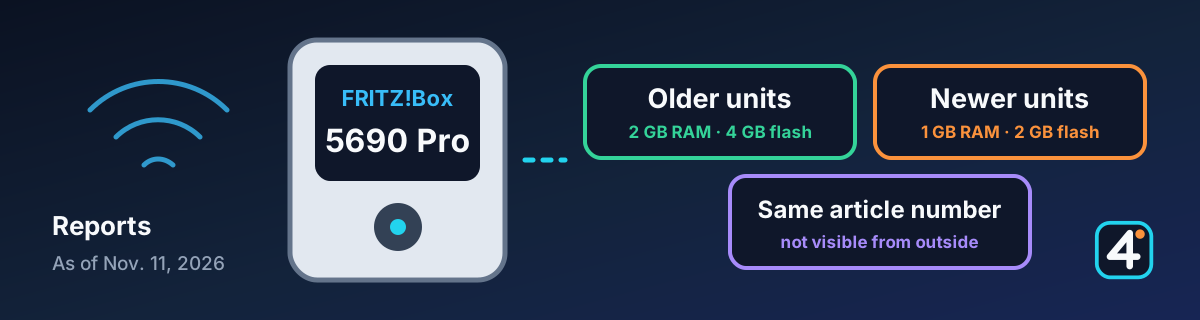
Reports, no confirmation from the manufacturer
Several outlets report, based on research by Router-FAQ.de, that newer units of the FRITZ!Box 5690 Pro have only 1 GB of RAM and 2 GB of flash storage, while older ones have 2 GB and 4 GB. Both versions are sold under the same article number, and you can't tell them apart from the outside. FRITZ! speaks of the usual adjustments to internal components with no effect on specifications or performance, and does not explicitly confirm the halving. As things stand, this is likely to matter for IRL streamers mainly if the box works at home behind your stream, for example with a relay server or an OBS PC. On the road over cellular, the box plays no role.
1. What's being reported
It was first noticed by a buyer who had bought a second 5690 Pro: with the same firmware, the newer box showed a much higher RAM usage. The portal Router-FAQ.de (German) compared the support data of both units on October 25. For a box from July 2024 it lists 2 GB of RAM and 4 GB of flash, for one from June 2026 only 1 GB of RAM and 2 GB of flash.
| Older version | Newer version | |
|---|---|---|
| Memory (RAM) | 2 GB | 1 GB |
| Flash storage | 4 GB | 2 GB |
| Freely usable internal storage (for example for FRITZ!NAS) | about 1.7 GB | about 680 MB |
| Hardware subrevision | 3 | 5 |
The hardware version and the article number (2000 3043) are the same on both. There are also units in between, for example with 1 GB of RAM but still 4 GB of flash, so you should check RAM and flash separately. The details come from the reports by Router-FAQ.de and ComputerBase (German).
2. What's still open
- Since when? It can't be pinned to a single date. According to ComputerBase, a unit from February 2026 already has 1 GB of RAM but still 4 GB of flash. In the IP-Phone-Forum (German), a user reports a box built in September 2026 with the older subrevision. Apparently both versions were in production side by side for a while.
- Consequences in daily use? So far, nothing has been shown. Caschys Blog (German) writes that in normal operation with a few devices, you will hardly notice the difference at the moment. The open question, it adds, is how this will affect future, more demanding FRITZ!OS versions.
- Is something missing on the packaging? According to Caschys Blog, neither RAM nor flash is listed on the box or in the official data sheets. Caschys Blog's legal read is that, formally, the memory size is not a promised feature of the product. ComputerBase points out that FRITZ! had highlighted the memory capacity in its marketing at launch.
3. What FRITZ! says
When asked by Router-FAQ.de and teltarif (German), the press office said in essence: over the course of production and a product's life, internal components are occasionally adjusted, such as capacitors, memory chips, or coils. That is common in the industry and has no effect on product specifications or performance. When asked again, the press office called this its official position. It does not explicitly confirm the halving.
4. How to check your box
Following the guide from Router-FAQ.de, which applies only to the FRITZ!Box 5690 Pro:
- RAM: In the interface (German menu names), go to System → Energiemonitor → Statistik and scroll down to the RAM usage. If the fixed portion is at about 25 percent, 2 GB are installed; at about 50 percent, that points to 1 GB. From FRITZ!OS 8.50 on, the fixed portion is shown in red, before that in blue.
- Internal storage: Under Heimnetz → USB / Speicher, about 1.7 GB are available with 4 GB of flash, and about 680 MB with 2 GB of flash.
- For an exact answer: The box's support data lists the hardware subrevision, serial number, and memory sizes. Router-FAQ.de explains how to retrieve it.
5. Sources and further reading
This article is a summary of the reports mentioned, written in our own words. IRL4YOU did not measure the memory sizes itself. Information from FRITZ! remains authoritative.
Router-FAQ.de: Did FRITZ! halve the memory of the FRITZ!Box 5690 Pro? (German, Oct. 25, 2026) ↗IP-Phone-Forum: Discussion of the Router-FAQ report (German) ↗Caschys Blog: FRITZ!Box: discussion about halved memory (German, Nov. 10, 2026) ↗ComputerBase: Router with halved memory under the same article number (German, Nov. 10, 2026) ↗teltarif: Memory halved, manufacturer plays it down (German, Nov. 11, 2026) ↗
IRL4YOU's take
The 5690 Pro is one of the boxes that now have FRITZ!OS 8.51. If you use it at home for a relay, OBS, or your home upload, you should especially keep an eye on update notes and port forwarding. It has not been shown so far that the smaller configuration changes anything in daily use. The criticism in the reports includes that you can't tell which version you're getting when you buy, and that the box has become more expensive at the same time. This is not an IRL4YOU test.