A worthwhile update, but not right before an important stream
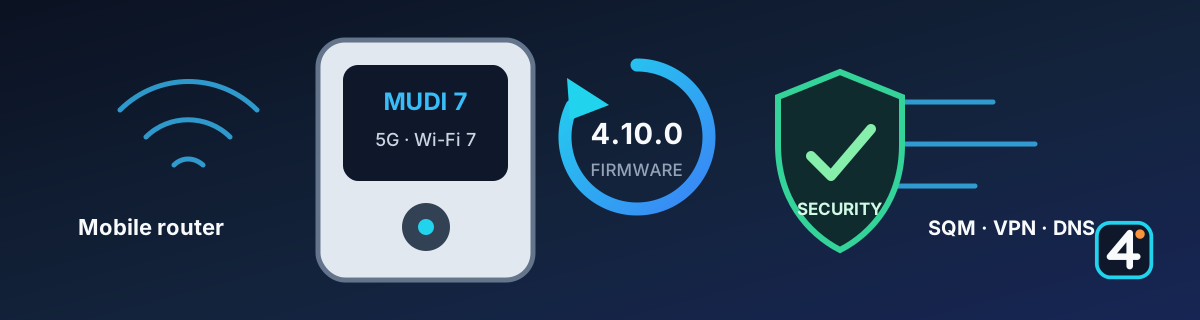
GL.iNet lists firmware 4.10.0 for the Mudi 7 (GL-E5800) as the current stable version. For IRL streamers, the most interesting parts are SQM against needless delays under load, the cellular fixes, and the security updates. Back up your existing configuration first, and check it in a private test stream after the update.
1. What matters for IRL streaming
The new SQM feature can order the traffic so that large transfers don't block the whole connection. That can reduce queues, latency, and swings under load. But SQM replaces neither a stable cell nor real bonding. Upload, RTT, and packet loss still have to be looked at together.
GL.iNet also lists two cellular fixes: saved TTL settings should be applied reliably again, and a cellular dropout caused by a timeout or the device logging off was fixed. Those are potentially relevant improvements for mobile setups.
2. Security updates
Firmware 4.10.0 updates dnsmasq to version 2.92 and picks up the security fixes included there. According to the manufacturer, AdGuard Home 0.107.73 also contains a fix for CVE-2026-47703. If you don't use AdGuard Home actively, you still benefit from the general component and firmware fixes.
A router manages credentials, DNS, VPN, and all the traffic of your streaming setup. Security updates are therefore not a side issue. Even so, the admin interface shouldn't be reachable from the internet unprotected.
3. Other changes in 4.10.0
- DPI-based traffic analysis, filtering, and smart prioritization
- extended access rules by protocol, IP addresses, and ports
- reworked VPN overview with multi-select and several VPN nodes
- conflict detection for IP addresses and DNS with nested VPN connections
- AmneziaWG 2.0 and additional VPN providers
- encrypted DNS through DoH, DoT, and DoQ
- updated Tailscale with exit node and IP masquerading features
- improved IPv6 status display with several internet connections
- reworked interfaces for cellular, Wi-Fi, Ethernet, and the touchscreen
For a stable stream, you don't have to turn on every new feature. A simple, easy-to-follow router setup is often sturdier than a complex configuration with needless filters and several VPN layers active at once.
4. Before you update
Back up your configuration: The parental controls were rebuilt, and your previous settings are not carried over. VPN failover was also changed. According to the changelog, if you keep your existing settings, the kill switch is on by default for all VPN tunnels.
- Export the router configuration and back up your credentials separately.
- Write down your important VPN, DNS, port, and cellular settings.
- Update on a stable power supply and not right before a production.
- After the restart, test cellular, Ethernet, Wi-Fi, USB tethering, VPN, and failover one at a time.
- Then run a longer private test stream at your real bitrate.
5. First real-world reports from the manufacturer forum
In the official GL.iNet forum, a few users report a possible WireGuard address conflict and a USB RNDIS problem on Windows after the update. These posts are not confirmation of general bugs. For the WireGuard report, a GL.iNet staff member couldn't reproduce the described setup at first.
If you need WireGuard or USB tethering for your stream, check exactly those functions after the update and keep your previous configuration at hand.
6. Official sources and further reading
This post is an assessment written in our own words, originally in German. What GL.iNet states remains the authority.
IRL4YOU's take
For mobile use, SQM, the cellular fixes, and the security updates look worthwhile. Whether 4.10.0 runs more stably in your own setup is only settled by a real-world test with the SIM cards, VPN tunnels, Moblink connections, and streaming devices you actually use.